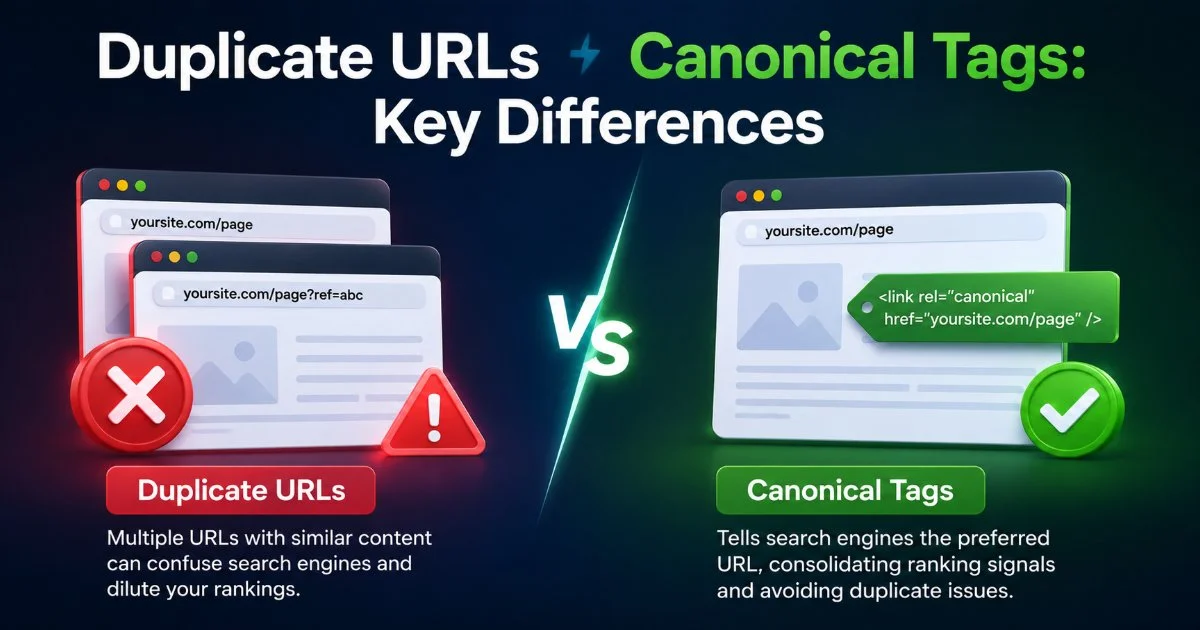
Duplicate URLs vs canonical tags represent two sides of the same technical SEO coin, yet they operate in fundamentally different ways. Duplicate URLs are the problem; canonical tags are one of the most common solutions. When search engines encounter multiple pages with identical or near-identical content, they must decide which version to index and rank. This decision can dilute your crawl budget, split link equity, and confuse ranking signals.
Understanding how these two concepts interact is essential for any SEO practitioner who wants to maintain clean indexing across a site. The stakes are real: misconfigured canonicalization can quietly suppress pages you actually want to rank.
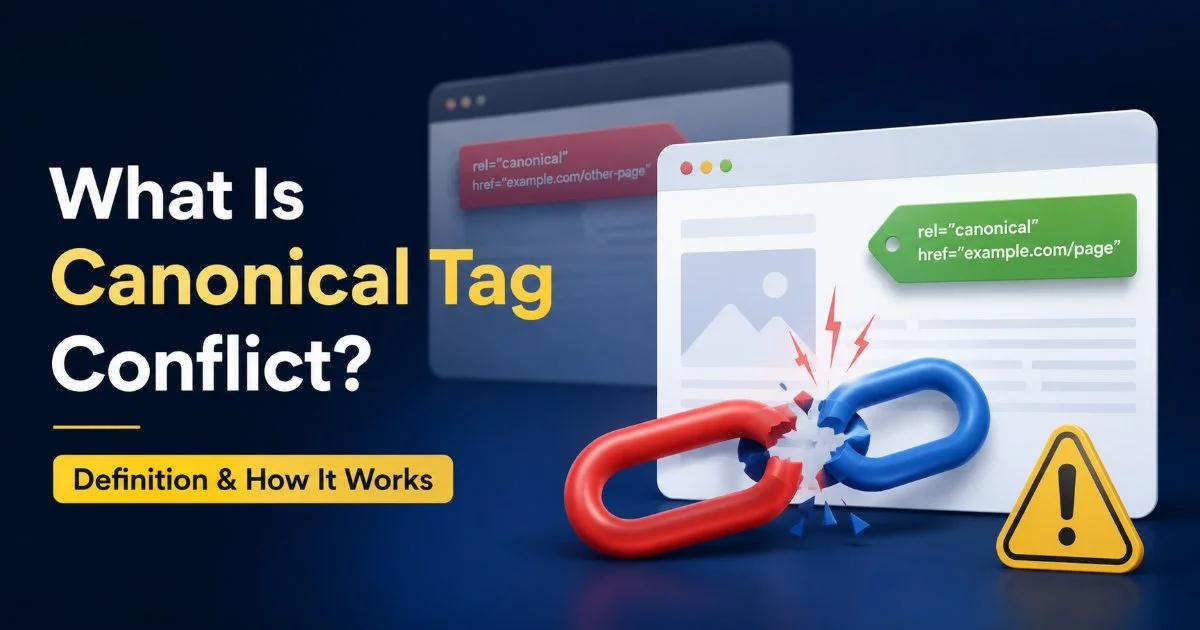
To understand the root cause of many of these issues, it helps to review how a canonical tag conflict works and why it creates indexing problems in the first place. This comparison will break down both concepts across clear dimensions so you can act with confidence.
Key Takeaways
- Duplicate URLs create the indexing problem; canonical tags attempt to solve it.
- Self-referencing canonicals prevent accidental duplication from query parameters and tracking codes.
- Conflicting signals between canonicals and redirects confuse search engine crawlers significantly.
- Canonical tags are hints, not directives, so Google may override your preference.
- Regular auditing of canonical implementations prevents silent ranking losses over time.
What They Are: Defining Duplicate URLs and Canonical Tags
How Duplicate URLs Form
Duplicate URLs occur when the same content is accessible through more than one web address. This happens more often than most site owners realize. Common causes include URL parameters from filters, session IDs, tracking codes, and variations between HTTP and HTTPS or www and non-www versions. E-commerce sites are particularly vulnerable because product pages often exist under multiple category paths, each generating a distinct URL for the same product.
Content management systems frequently create duplicates automatically. WordPress, for example, can serve the same post through its permalink, a category archive, a date-based archive, and a paginated feed. Each of these technically has a unique URL, but they all point to the same underlying content. Without intervention, Googlebot treats each as a separate page candidate.
The result is predictable: search engines waste resources crawling redundant pages, and your site's authority gets spread thin across URLs that should consolidate into one. Even faceted navigation on large sites can generate thousands of duplicate pages from simple filter combinations. Recognizing where these duplicates originate is the first step toward fixing them effectively.
How Canonical Tags Work
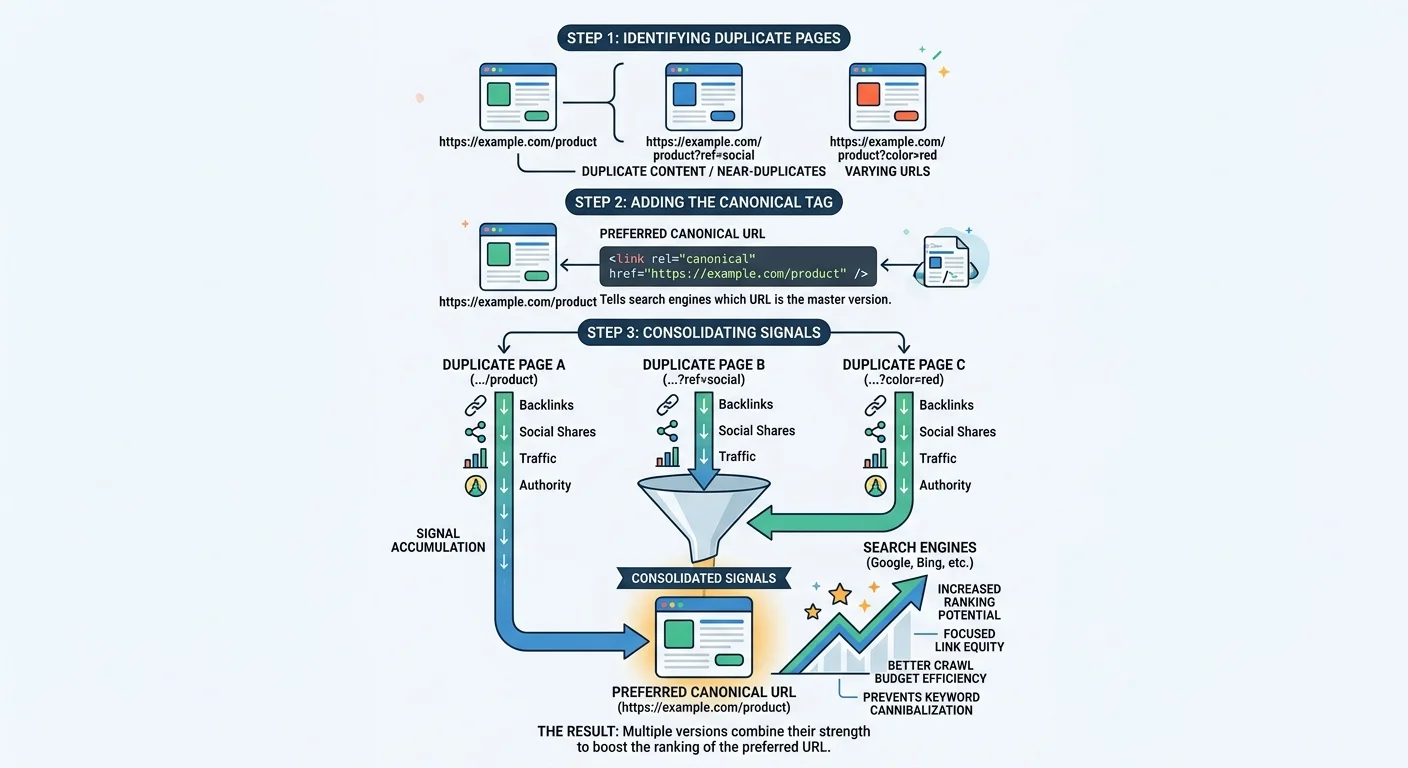
A canonical tag is an HTML element placed in the <head> section of a page. It tells search engines which URL should be considered the "preferred" or "master" version of a piece of content. The syntax is straightforward: <link rel="canonical" href="https://example.com/preferred-page">. When implemented correctly, it consolidates indexing signals from all duplicate versions toward the canonical URL.
One common misconception is that canonical tags are directives. They are not. Google explicitly classifies them as hints, meaning the search engine can choose to ignore your canonical preference if other signals conflict. For instance, if your canonical tag points to URL A but your internal links overwhelmingly point to URL B, Google may index URL B instead. This is why canonical tags must work in harmony with your broader site architecture and linking patterns, not against them.
Canonical tags do not remove duplicate pages from being crawled. They only influence which version gets indexed.
Self-referencing canonicals are a best practice that many sites overlook. Every indexable page should include a canonical tag pointing to itself. This protects against accidental duplication caused by appended query strings or UTM parameters that create new URLs for tracking purposes. It is a simple defensive measure that prevents a surprising number of indexing issues.
Impact on Indexing and Crawling
Crawl Budget Effects
When Googlebot encounters duplicate URLs, it still crawls each one before deciding which to index. For small sites with a few hundred pages, this is rarely a practical problem. But for large sites with tens of thousands of pages, duplicate URLs consume significant crawl budget. Every request spent on a redundant page is a request that could have gone to a unique, valuable page instead. Sites with limited crawl budgets may find that important new pages take weeks to get indexed.
Canonical tags help mitigate this, but they do not eliminate crawling of duplicates entirely. Google still needs to discover and read the canonical tag on each page, which means the duplicate gets crawled at least once. Over time, Googlebot may reduce crawl frequency on pages it recognizes as non-canonical, but this adjustment is gradual. Combining canonicalization with proper robots.txt rules and XML sitemaps creates a more efficient crawl profile.
Add only canonical URLs to your XML sitemap. This reinforces the preferred version signal for search engines.
Ranking Signal Dilution
Link equity, sometimes called "link juice," is one of the most important ranking factors in SEO. When external sites link to different duplicate versions of the same page, that equity gets split. Three backlinks to three different URLs are far less powerful than three backlinks to a single canonical URL. Canonical tags are supposed to consolidate this equity, but when conflicts exist between the tag and other signals, the consolidation may not happen as expected.
User engagement metrics can also fragment across duplicates. Click-through rates, bounce rates, and dwell time data associated with non-canonical URLs may not get attributed to the preferred version. This creates a noisy signal environment where search engines struggle to evaluate how users actually interact with your content. The downstream effect is unpredictable ranking performance, something that frameworks like the EU AI Act's transparency requirements highlight as increasingly important in how algorithms process web signals.
"Canonical tags are hints, not commands. When your site sends mixed signals, search engines make their own decisions."
Duplicate URLs vs Canonical Tags: Side-by-Side Comparison
Understanding the differences between duplicate URLs and canonical tags requires examining them across several criteria. The table below provides a structured comparison that highlights how each one functions within the broader SEO ecosystem. While duplicate URLs represent a technical condition, canonical tags represent a specific response to that condition. They are not alternatives to each other; rather, one creates the problem and the other addresses it.
The comparison reveals an important asymmetry. Duplicate URLs are passive; they emerge from how a site is built. Canonical tags are active; they require deliberate implementation. This means the fix always demands more effort than the problem's creation. Many intermediate SEO practitioners discover duplicates only after noticing unexplained ranking drops or coverage issues in Google Search Console.
| Criteria | Duplicate URLs | Canonical Tags |
|---|---|---|
| Nature | Technical problem | Technical solution |
| Search engine treatment | Crawled and evaluated individually | Treated as a hint for consolidation |
| Effect on link equity | Splits across versions | Consolidates to preferred URL |
| Crawl budget impact | Wastes crawl resources | Reduces index bloat over time |
| Implementation effort | None (occurs automatically) | Requires manual or programmatic setup |
| Reliability | Always present if unchecked | Can be ignored by search engines |
The most important takeaway from this comparison is that canonical tags are necessary but not sufficient. They work best when reinforced by consistent internal linking, proper redirects, and clean URL architecture. Relying solely on canonical tags to fix a fundamentally messy URL structure is like putting a bandage on a structural crack. Automated tools, including those built with platforms like Agent SDK, can help audit and monitor canonical implementation at scale across large websites.
Never use canonical tags to point to pages that return 404 or 5xx errors. This sends contradictory signals and can deindex your content.
Fixing Conflicts and Best Practices
Common Conflict Scenarios
A canonical tag conflict arises when the canonical tag on a page contradicts other technical signals. The most frequent scenario involves a 301 redirect pointing to URL A while the canonical tag on the redirected page points to URL B. Search engines receive two contradictory instructions and must choose which one to honor. In practice, Google typically follows the redirect over the canonical tag, but this is not guaranteed and varies by situation.
Another common conflict happens with pagination. Pages in a paginated series sometimes carry a canonical tag pointing back to page one, which tells Google that pages two, three, and beyond are duplicates of the first page. This can prevent deeper paginated content from being indexed. Similarly, hreflang implementations can conflict with canonical tags when the canonical URL does not match the hreflang self-reference, creating confusion about which language version is authoritative.
Practical Fix Strategies
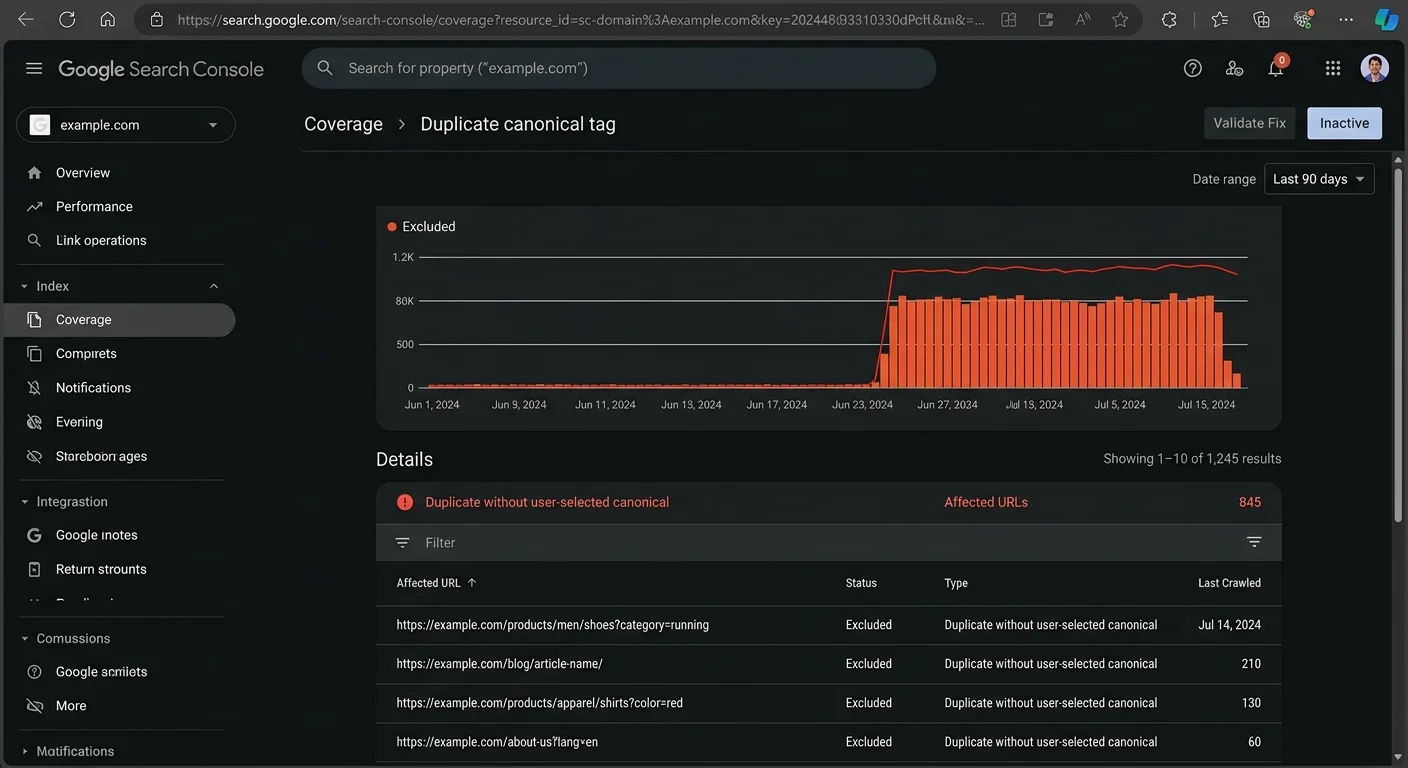
Start every fix process with a comprehensive crawl using tools like Screaming Frog or Sitebulb. Identify all pages where the canonical tag points to a URL different from the one being crawled. Cross-reference these findings with Google Search Console's "Duplicate, Google chose different canonical" report. This report explicitly shows where Google disagrees with your canonical preference, which is the clearest signal that a conflict exists.
For parameter-based duplicates, use self-referencing canonical tags on every page and configure Google Search Console's URL parameter handling tool. If your site runs on a CMS, check whether plugins or modules are injecting conflicting canonical tags. WordPress sites running multiple SEO plugins sometimes output two different canonical tags in the same page head, a situation that completely undermines the purpose of canonicalization. Remove redundant plugins and verify that only one canonical tag appears per page.
Run a monthly audit of canonical tags across your top 100 pages by traffic. This catches conflicts before they cause ranking damage.
When duplicate URLs vs canonical tags issues persist despite correct implementation, consider whether 301 redirects might be the better solution. Redirects are stronger signals than canonical tags because they physically prevent users and bots from accessing the duplicate. For permanent duplicates (like HTTP to HTTPS migrations), redirects are always preferable. Reserve canonical tags for situations where you need both URLs to remain accessible, such as syndicated content or print-friendly page versions.
Frequently Asked Questions
?How do I fix a conflict between a canonical tag and a redirect?
?Can canonical tags replace 301 redirects for duplicate URLs?
?How long does it take Google to respect a newly added canonical tag?
?Is it a mistake to skip self-referencing canonicals on unique pages?
Final Thoughts
The relationship between duplicate URLs vs canonical tags is one of problem and solution, but the solution requires precision. Canonical tags are powerful when implemented correctly and reinforced by consistent site architecture. They fail when they conflict with redirects, internal links, or other indexing signals.
Audit your canonical setup regularly, fix conflicts as soon as they surface, and remember that Google treats canonicals as suggestions, not orders. A clean URL structure with properly implemented canonicalization remains one of the most effective ways to protect your site's search visibility.
Disclaimer: Portions of this content may have been generated using AI tools to enhance clarity and brevity. While reviewed by a human, independent verification is encouraged.